
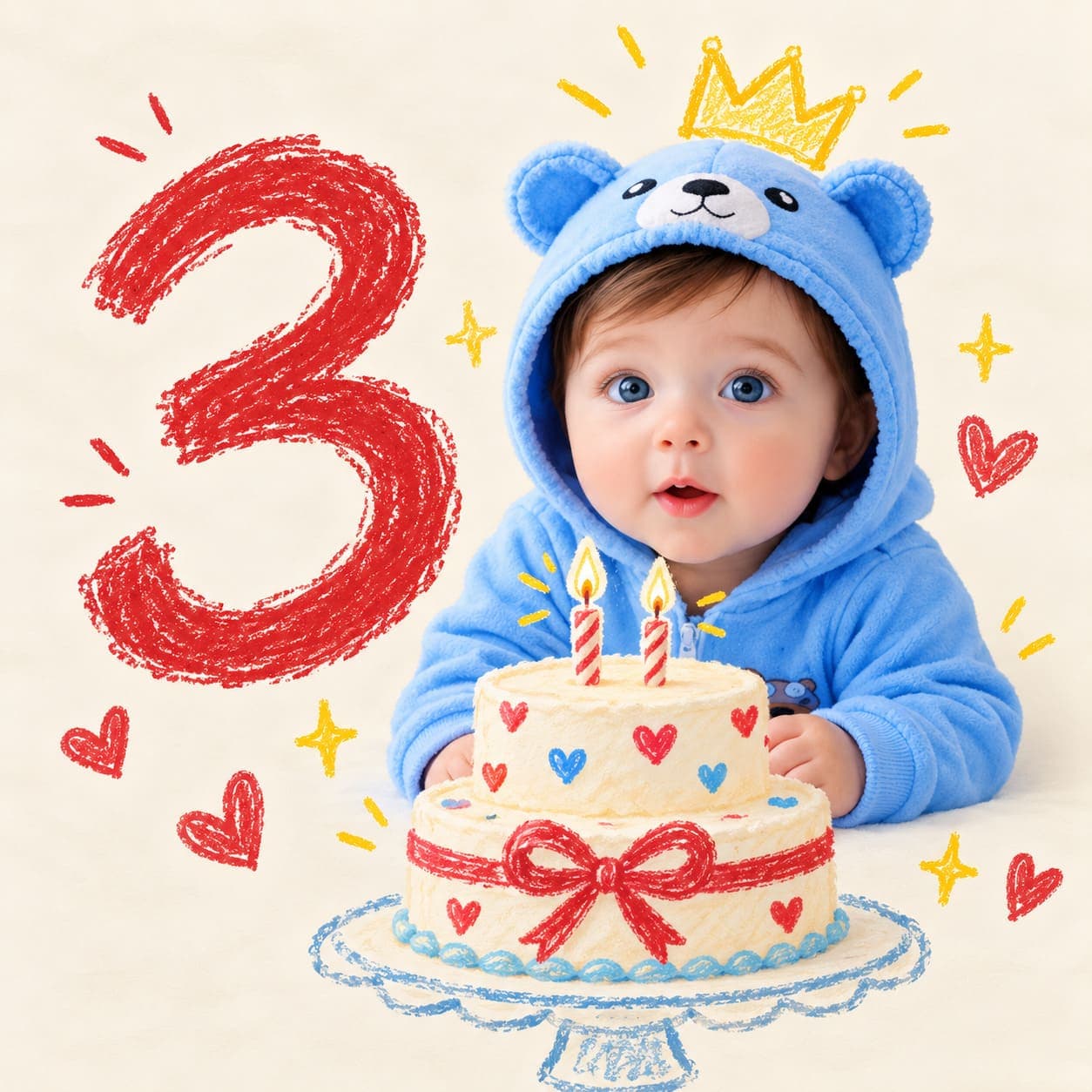
Crayon doodle cake milestone portrait
A mixed-media portrait of your real baby on a cream background, with a crayon-drawn month number, paper crown and birthday cake doodled around them.
- Needs your baby’s photo
- mixed media
- illustration
- cake
- number
- minimal
- colourful
- playful
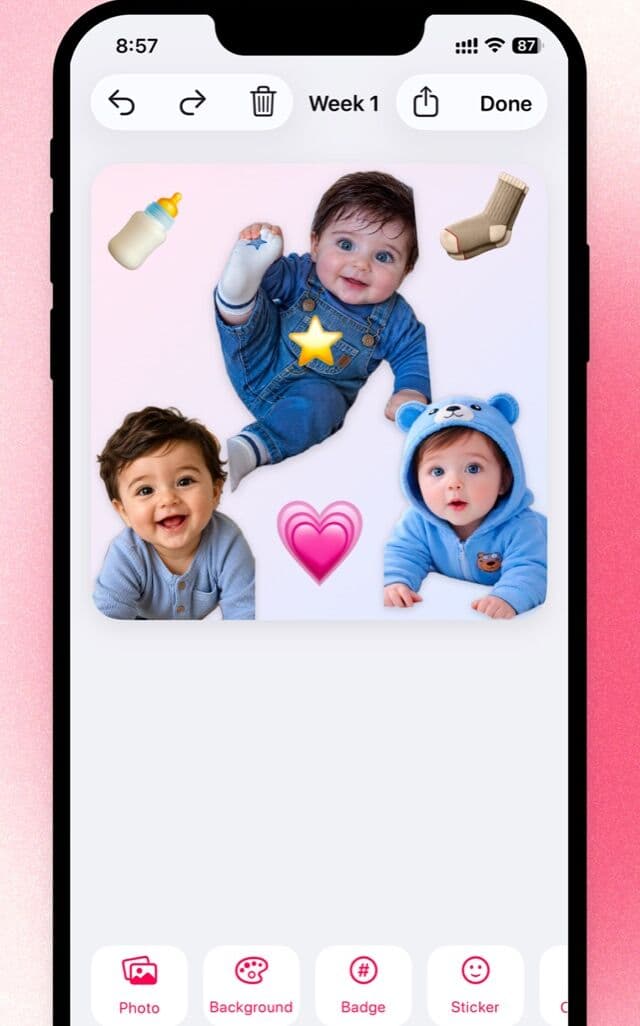
Lift your baby out, on the phone
This is the look Little is built for: your real baby, lifted out of any photo, on a drawn background with stickers and a typed age badge, all on the phone.

Free to download · iPhone and iPad · Photos never leave your device
The prompt
Create an extremely realistic baby milestone photograph/illustration composition using the uploaded baby photograph as the ONLY image input for the baby's identity.

MILESTONE NUMBER: [NUMBER]

[NUMBER] represents the baby's [NUMBER]-month milestone.

IMPORTANT:
The uploaded baby photograph is ONLY the identity reference for the baby.

Use the uploaded baby photograph to accurately reproduce the baby's real identity, including:

- face shape
- eyes
- eyebrows
- nose
- mouth
- cheeks
- chin
- ears
- skin tone
- hair color
- hair texture
- hairline
- facial proportions
- natural baby characteristics

Do NOT copy the baby from the reference composition.

Replace the baby shown in the reference with the baby from the uploaded photograph.

Do NOT use the uploaded baby photograph as the background or composition reference.

==================================================
REFERENCE COMPOSITION — FOLLOW CLOSELY
==================================================

Recreate the same overall composition, proportions, visual hierarchy and placement as the provided reference image.

The final image should contain:

1. A warm off-white / cream background.
2. A large hand-drawn red milestone number on the LEFT side.
3. A photorealistic baby positioned toward the CENTER-RIGHT.
4. A hand-drawn yellow paper-style crown on the baby's head.
5. A hand-drawn multi-layer birthday cake positioned directly in front of / slightly below the baby.
6. Two thin hand-drawn birthday candles on top of the cake.
7. Hand-drawn decorative sparkles around the composition.
8. A simple hand-drawn red ribbon/bow around the cake.
9. A subtle hand-drawn pedestal/base beneath the cake.
10. Large areas of clean empty cream-colored background.

The overall visual composition should remain very close to the reference.

Do not redesign the scene.

Do not introduce additional objects.

==================================================
BACKGROUND
==================================================

Use a solid warm off-white / very light cream background.

The background should be clean and minimal.

Approximate appearance:

- warm ivory
- soft cream
- very subtle paper-like texture
- matte surface
- no visible room
- no floor
- no furniture
- no walls
- no horizon

The background should occupy most of the image.

Do not add scenery.

Do not add patterns.

Do not add decorations other than the hand-drawn elements specifically described below.

==================================================
LARGE MILESTONE NUMBER — CRITICAL
==================================================

The large red number on the LEFT side is the PRIMARY milestone indicator.

Replace the reference number "1" with the exact user-entered:

[NUMBER]

For example:

If [NUMBER] = 1:
show a large hand-drawn red "1".

If [NUMBER] = 4:
show a large hand-drawn red "4".

If [NUMBER] = 6:
show a large hand-drawn red "6".

If [NUMBER] = 8:
show a large hand-drawn red "8".

The number MUST be exactly [NUMBER].

Do not use another number.

Do not omit the number.

Do not add the word "months" to the large number.

The large number should occupy approximately the same position and scale as the large red "1" in the reference.

Place it on the LEFT side of the composition, behind and slightly to the left of the baby.

==================================================
NUMBER STYLE
==================================================

The milestone number must look HAND-DRAWN.

It should resemble the rough red crayon/colored-pencil/painted number in the reference.

Use:

- deep muted red
- rough hand-drawn outline
- visible sketch strokes
- uneven edges
- imperfect fill
- subtle gaps in the red pigment
- slight variations in stroke thickness
- natural handmade imperfections

Do NOT make the number look like a clean computer font.

Do NOT use typography.

Do NOT use a digital graphic.

Do NOT use a 3D number.

Do NOT use a balloon number.

Do NOT use a plastic number.

Do NOT make it photorealistic.

The number should look like someone manually drew it onto the cream background using a red crayon, colored pencil or wax pencil.

==================================================
BABY POSITION
==================================================

Place the baby approximately in the CENTER-RIGHT portion of the image.

The baby should be positioned behind the cake, similar to the reference.

The baby's upper body and face should remain clearly visible.

The baby should lean naturally forward toward the cake.

The baby's lower body can be partially hidden behind the cake, matching the visual composition of the reference.

The baby should have a naturally happy, playful expression.

A genuine smile is preferred.

The baby's pose should look physically possible and natural.

Do NOT make the baby look like a cartoon.

Do NOT stylize the baby's body.

The baby must remain PHOTOREALISTIC.

==================================================
BABY IDENTITY — HIGHEST PRIORITY
==================================================

The uploaded baby photograph controls the baby's identity.

The generated baby must clearly look like the same baby from the uploaded photograph.

Preserve:

- exact facial characteristics
- natural facial proportions
- skin tone
- hair
- eyes
- nose
- mouth
- cheeks
- ears
- natural baby features

Do not transform the baby into a generic AI baby.

Do not change the baby's facial identity.

Do not enlarge the eyes.

Do not make the baby look older.

Do not make the baby look younger.

Do not excessively beautify the baby.

Do not make the skin unnaturally smooth.

==================================================
BABY CLOTHING
==================================================

Dress the baby in a simple realistic white or cream short-sleeve baby outfit, similar in simplicity to the reference.

The clothing should look like real cotton fabric.

Include subtle:

- fabric texture
- folds
- wrinkles
- stitching
- natural shadows

Do not add logos.

Do not add text.

Do not add complicated patterns.

Keep the outfit visually simple so the baby remains the focal point.

==================================================
YELLOW PAPER CROWN — REQUIRED
==================================================

Place a small HAND-DRAWN YELLOW CROWN directly on top of the baby's head.

The crown should resemble the reference.

It should look like a simple child's paper crown drawn in a rough illustrated style.

Use:

- bright/muted yellow
- rough hand-drawn outline
- visible pencil/crayon strokes
- slightly irregular edges
- simple crown points
- imperfect handmade appearance

The crown should NOT be photorealistic.

It should look intentionally illustrated while the baby remains photorealistic.

Position it naturally above the baby's hair.

Do not cover the baby's eyes.

==================================================
BIRTHDAY CAKE — REQUIRED
==================================================

Place a large hand-drawn birthday cake directly in front of and slightly below the baby.

The cake should occupy approximately the same location and size as the cake in the reference.

The cake is a stylized HAND-DRAWN illustration rather than a photorealistic cake.

It should have approximately three stacked/layered sections.

Use:

- white/off-white cake
- rough black hand-drawn outlines
- uneven icing
- simple decorative details
- imperfect sketch lines

The cake should look like a child's drawing or handmade illustration.

Do NOT make the cake photorealistic.

Do NOT turn it into a realistic bakery cake.

==================================================
CAKE CANDLES
==================================================

Place TWO thin hand-drawn candles on top of the cake.

The candles should resemble the reference.

Use simple dark/black sketch outlines.

The candles should have small flames.

The flames should also be hand-drawn.

Do not add additional candles.

Do not make the candles photorealistic.

==================================================
RED RIBBON / BOW
==================================================

Add a simple hand-drawn red ribbon/bow around the middle/lower portion of the cake.

The ribbon should resemble the reference.

Use:

- muted red
- rough hand-drawn lines
- imperfect sketch strokes
- simple bow shape

Do not make it photorealistic.

==================================================
CAKE BASE
==================================================

Under the cake, include the same simple hand-drawn pedestal/base shape visible in the reference.

Use thin black sketch lines.

Keep it minimal.

Do not make the base realistic.

==================================================
DECORATIVE SPARKLES
==================================================

Add several small hand-drawn sparkle/star shapes around the composition.

Keep them subtle.

Place approximately:

- one or two sparkles to the LEFT of the baby/number
- one sparkle toward the RIGHT of the cake
- a few small subtle marks around the central composition

Use thin dark gray/black hand-drawn lines.

The sparkles should resemble simple pencil sketches.

Do not use glowing digital stars.

Do not use emoji stars.

Do not use photorealistic objects.

==================================================
MIXED-MEDIA STYLE — CRITICAL
==================================================

The most important visual characteristic is the MIXED-MEDIA appearance.

The BABY must be photorealistic.

The following elements must remain hand-drawn/illustrated:

- large milestone number
- yellow crown
- birthday cake
- candles
- candle flames
- red ribbon
- cake pedestal
- decorative sparkles

The baby should look like a REAL photograph placed naturally into a simple hand-drawn milestone scene.

Do NOT turn the entire image into an illustration.

Do NOT turn the baby into a cartoon.

Do NOT apply an illustration filter to the baby.

Do NOT make the baby's skin look painted.

The baby must retain realistic photographic skin, hair, eyes and facial detail.

==================================================
PHOTOREALISTIC BABY
==================================================

The baby must look like an authentic camera photograph.

Preserve:

- realistic skin texture
- fine baby hair
- natural pores
- subtle skin imperfections
- realistic eyes
- natural eye reflections
- realistic lips
- realistic facial shadows
- natural hair strands
- realistic anatomy

Do not use excessive beauty retouching.

Do not make the baby look waxy.

Do not make the baby look plastic.

Do not make the baby's skin perfectly smooth.

Do not enlarge the eyes.

Do not exaggerate facial features.

==================================================
LIGHTING
==================================================

Use soft natural photographic lighting on the baby.

The baby should have realistic soft shadows and natural highlights.

The illustrated elements should remain flat, matte and hand-drawn.

Do not apply the same photographic lighting to the illustrated elements.

The contrast between the realistic baby and illustrated decorations is intentional.

==================================================
COMPOSITION AND PROPORTIONS
==================================================

Maintain the same visual balance as the reference.

LEFT:
Large red hand-drawn [NUMBER].

CENTER-RIGHT:
Photorealistic baby.

DIRECTLY IN FRONT OF BABY:
Large hand-drawn birthday cake.

ON BABY'S HEAD:
Small yellow hand-drawn crown.

AROUND CAKE:
Small hand-drawn sparkles.

BACKGROUND:
Mostly empty warm cream space.

Do not fill the empty background.

Do not add unnecessary decorations.

==================================================
REALISM
==================================================

The baby portion must look like a real photograph.

The illustrated portions must look intentionally handmade.

Avoid the typical AI-generated appearance.

The baby should NOT have:

- overly perfect skin
- excessive sharpness
- strange fingers
- distorted hands
- unnatural eyes
- plastic skin
- artificial hair
- exaggerated smile

Use realistic photographic imperfections.

==================================================
NO UI / SCREENSHOT ELEMENTS
==================================================

The uploaded reference may be a screenshot.

Recreate ONLY the actual artwork/photo composition.

DO NOT reproduce any interface elements from the reference.

Do NOT include:

- back button
- back arrow
- three-dot menu
- options button
- share button
- edit button
- navigation controls
- app toolbar
- status bar
- screenshot borders
- UI icons
- watermarks
- usernames
- social media elements
- interface overlays

The output must be a CLEAN STANDALONE IMAGE.

==================================================
ABSOLUTE EXCLUSIONS
==================================================

Do NOT create:

- cartoon baby
- illustrated baby
- anime baby
- 3D baby
- CGI baby
- photorealistic cake
- photorealistic crown
- photorealistic number
- balloon number
- plastic number
- wooden number
- digital number
- floating text
- additional numbers
- different milestone number
- "months" text next to the large number
- extra toys
- flowers
- balloons
- gifts
- extra decorations
- room
- furniture
- floor
- wall
- horizon
- back button
- three-dot button
- UI controls
- watermark
- username
- screenshot artifacts

==================================================
FINAL VISUAL CHECK — MANDATORY
==================================================

Before generating the image, verify:

✓ The uploaded baby is used as the baby's exact identity.
✓ Baby remains photorealistic.
✓ Baby is positioned CENTER-RIGHT.
✓ Large hand-drawn red [NUMBER] is on the LEFT.
✓ [NUMBER] is exactly the number supplied by the user.
✓ The number has a rough red crayon/colored-pencil appearance.
✓ Baby wears a simple white/cream outfit.
✓ Yellow hand-drawn crown is on the baby's head.
✓ Hand-drawn birthday cake is directly in front of the baby.
✓ Two hand-drawn candles are on the cake.
✓ Red hand-drawn ribbon/bow is on the cake.
✓ Hand-drawn sparkles surround the composition.
✓ Background is warm cream/off-white.
✓ Large areas of empty background remain.
✓ No additional props are introduced.
✓ No UI elements are reproduced.
✓ No back arrow is present.
✓ No three-dot/options button is present.
✓ No watermark or username is present.
✓ Final output is a clean standalone image.

CRITICAL NUMBER RULE:

The large red hand-drawn number MUST be exactly:

[NUMBER]

If the user enters 1, show 1.

If the user enters 4, show 4.

If the user enters 7, show 7.

If the user enters 9, show 9.

Do not use the reference's "1" unless [NUMBER] is actually 1.

The large number is the baby's milestone number.

Do not add any other milestone number.

FINAL OBJECTIVE:

Recreate the reference composition as closely as possible while replacing ONLY the baby with the baby from the uploaded identity photograph and replacing the large red "1" with the user-provided [NUMBER].

The final image should have the same minimalist mixed-media aesthetic:

PHOTOREALISTIC BABY
+
HAND-DRAWN RED [NUMBER]
+
HAND-DRAWN YELLOW CROWN
+
HAND-DRAWN BIRTHDAY CAKE
+
HAND-DRAWN CANDLES
+
HAND-DRAWN RED RIBBON
+
HAND-DRAWN SPARKLES
+
WARM CREAM BACKGROUND.

Do not change the core composition.
Do not add UI elements.
Do not add unrelated objects.
Which AI to run it on
ChatGPT (GPT Image)Best
The one to use. It is the only one that reliably keeps the baby photographic while drawing everything else in crayon, which is the whole point of the shot.
Gemini (Nano Banana)Limited
Tends to pick one style for the whole frame: either the baby turns into a drawing too, or the cake and crown come out as real objects.
Make it yours
- Replace every [NUMBER] with your baby's month. Leave the lines about the reference's "1" alone; they tell the model what not to copy.
- The prompt talks about a 'reference image', but you only upload the baby photo. That is fine; every element is described in full, so the model has what it needs.
- The example above went off-script with a blue bear-ear hoodie, crayon hearts and a two-tier cake, and it works. If you prefer that look, change the clothing section to 'a soft blue fleece hoodie with bear ears' and allow 'small hand-drawn red hearts'.
- The number is drawn, not built from props, so check it in the finished image. A crayon 6 that reads as a 0 is the usual miss.
More prompts
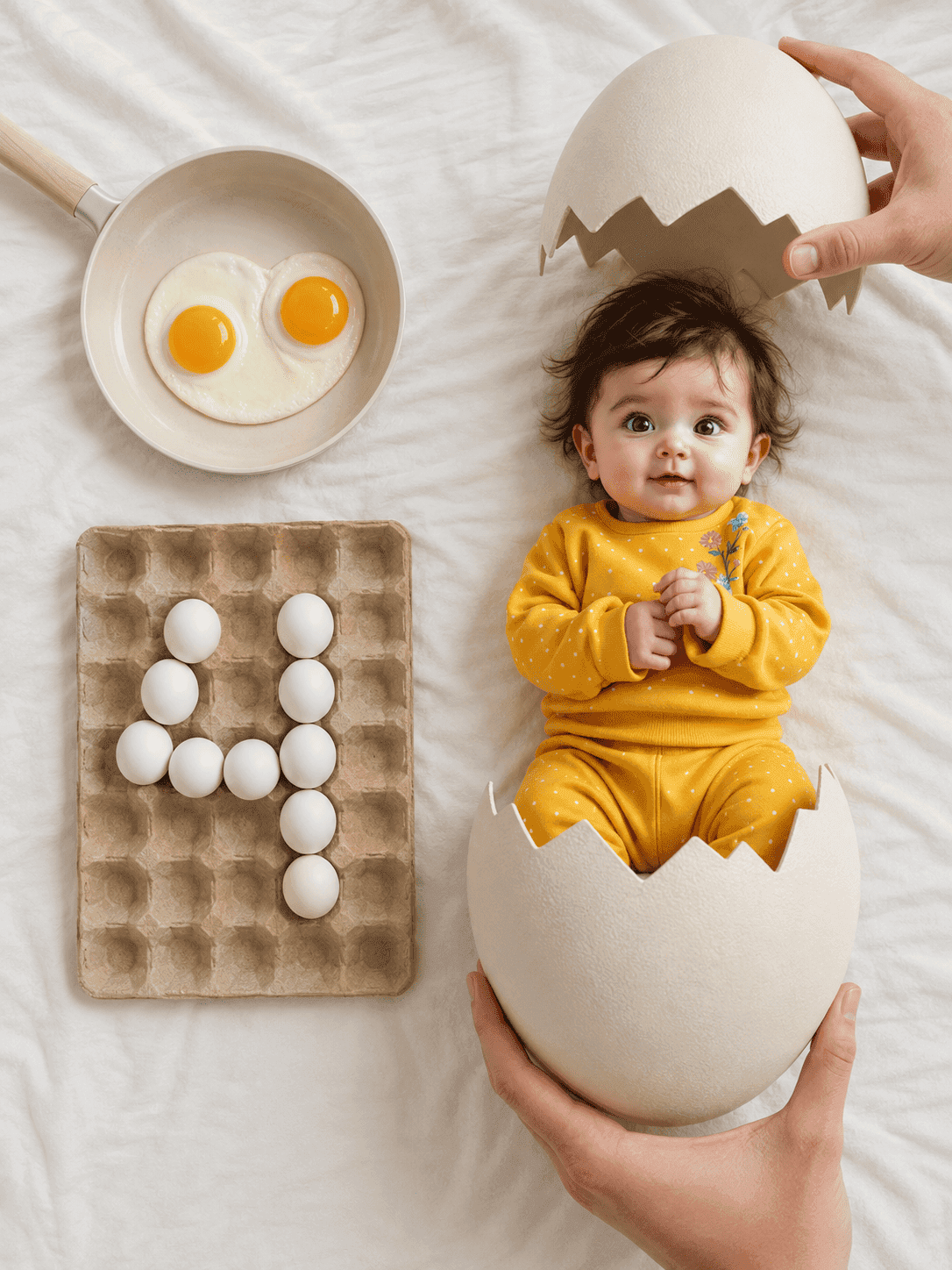
Hatching egg milestone flat lay
An overhead newborn flat lay where your baby has just hatched from a cracked egg, with the month number spelled out in eggs in a carton.
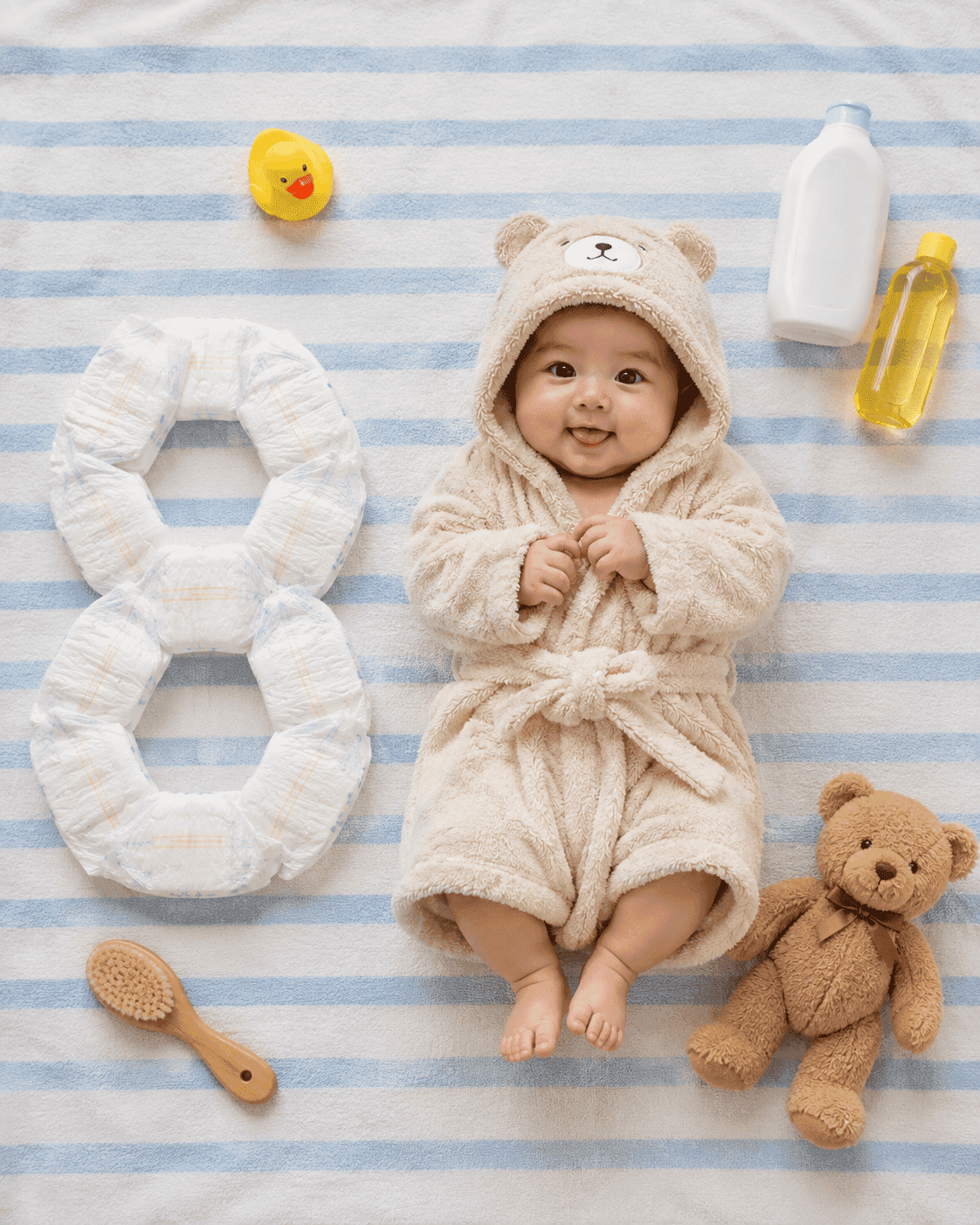
Bath essentials milestone flat lay
An overhead flat lay of your baby in a plush hooded bathrobe on a blue-and-white striped towel, with the month number built out of nappies beside them.