
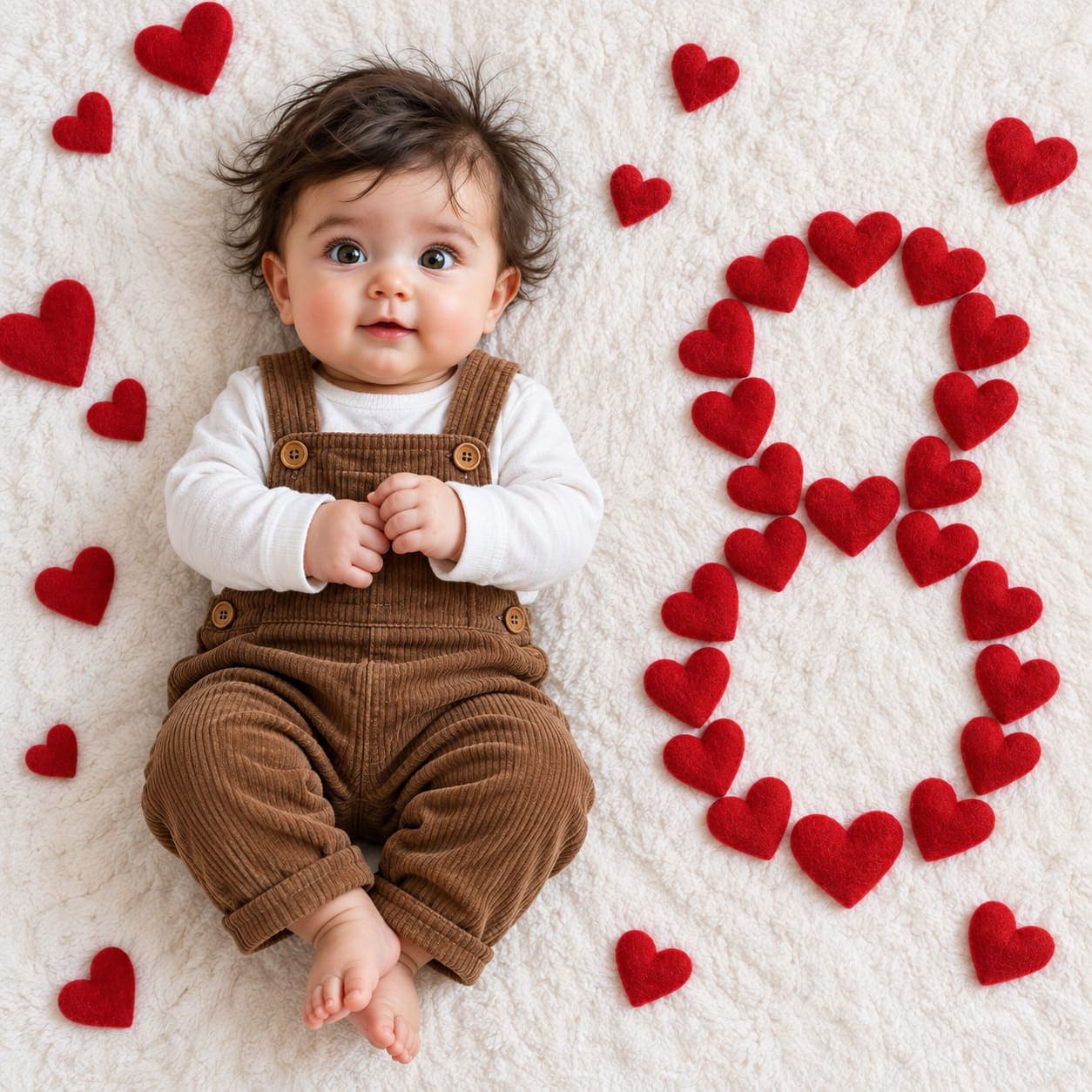
Red felt hearts milestone flat lay
An overhead flat lay of your baby in brown corduroy overalls on a white blanket, with the month number laid out in small red felt hearts.
- Needs your baby’s photo
- flat lay
- overhead
- valentine
- props
- number
- minimal
- red
Keep it on your Home Screen
A wall of red hearts is made for the Lock Screen. Pin it and this month greets you every time you pick up the phone.

Free to download · iPhone and iPad · Photos never leave your device
The prompt
Create an extremely realistic professional baby milestone photograph using the uploaded baby photograph as the ONLY image input.

IMPORTANT:
The uploaded baby photograph is ONLY the identity reference for the baby.

Use the uploaded baby photograph to accurately reproduce the baby's real identity, facial characteristics, skin tone, hair, facial proportions, body proportions, and natural appearance.

Do NOT use the uploaded baby photograph as the scene, background, clothing, props, or composition reference.

Recreate the complete photographic composition described below.

MILESTONE NUMBER: [NUMBER]

[NUMBER] represents the baby's [NUMBER]-month milestone.

==================================================
CORE CONCEPT
==================================================

Create a simple, realistic, Valentine's/love-themed baby milestone photograph.

The entire scene is a TOP-DOWN FLAT-LAY photograph.

A real baby is lying on a large white textured blanket or white fluffy bedsheet.

The baby is positioned on the LEFT side of the composition.

On the RIGHT side of the baby, multiple small red fabric/felt hearts are physically arranged to form the exact shape of:

[NUMBER]

The hearts themselves must create the milestone number.

The photograph should look like a genuine photograph taken by a parent or baby photographer from directly above.

The setup should be simple and minimal, matching the reference composition.

Do not add unnecessary props or decorations.

==================================================
CAMERA AND VIEWPOINT
==================================================

Use a square 1:1 composition.

Camera positioned directly ABOVE the entire setup.

Approximately a 90-degree top-down viewpoint.

The entire baby, blanket and heart arrangement are photographed from directly above.

Use a realistic modern smartphone or consumer full-frame camera appearance.

Natural moderate lens perspective.

Avoid extreme wide-angle distortion.

Avoid dramatic perspective.

Avoid cinematic camera angles.

This must be a flat-lay photograph, not a conventional portrait.

==================================================
BABY POSITION
==================================================

Place the baby on the LEFT side of the composition.

The baby's head is toward the upper-left portion of the frame.

The baby's body extends downward toward the lower-left portion.

The baby is lying naturally on their back.

The baby's entire body should be visible from head to feet.

The baby should have a natural, happy and relaxed expression.

A gentle genuine smile is preferred.

The baby should look comfortable and naturally positioned on the soft blanket.

The baby's arms should be naturally positioned in front of or near the torso.

The baby's legs should be naturally relaxed, with subtle bends or a natural crossed/overlapping position.

Do NOT make the baby stand.

Do NOT make the baby sit.

Do NOT make the baby lean against anything.

Do NOT create a conventional portrait pose.

==================================================
BABY IDENTITY
==================================================

The uploaded baby photograph is the exact identity reference.

The generated baby must clearly be the same baby as in the uploaded photograph.

Preserve the baby's actual:

- face shape
- forehead
- eyes
- eye spacing
- eyebrows
- nose
- mouth
- lips
- cheeks
- chin
- ears
- skin tone
- hair color
- hair texture
- hairline
- facial proportions
- natural facial asymmetry
- natural baby characteristics

Do not turn the baby into a generic AI-generated baby.

Do not change the baby's recognizable identity.

Do not artificially enlarge the eyes.

Do not alter facial proportions.

Do not make the baby look older or younger than the uploaded baby.

Do not excessively beautify the baby's face.

Do not make the face unnaturally symmetrical.

Preserve natural skin texture, fine baby hairs and subtle imperfections.

==================================================
BABY CLOTHING
==================================================

Dress the baby in a realistic outfit matching the reference composition.

The baby wears:

- a brown/caramel corduroy suspender overall outfit
- a simple white long-sleeve shirt underneath

The brown outfit should have realistic vertical corduroy ribbing.

Include realistic:

- corduroy texture
- fabric ribs
- stitching
- seams
- buttons
- natural folds
- natural wrinkles
- realistic shadows
- slight fabric compression

The white shirt should look like a real soft cotton baby shirt.

Keep the clothing simple.

Do not add logos.

Do not add text.

Do not add patterns.

Do not add unnecessary accessories.

Do not change the outfit into a different style.

==================================================
RED HEART MILESTONE NUMBER — CRITICAL
==================================================

THIS IS THE PRIMARY MILESTONE ELEMENT.

On the RIGHT side of the baby, arrange multiple small REAL RED HEARTS to form the exact shape of:

[NUMBER]

The hearts themselves must physically create the number.

For example:

If [NUMBER] = 4:

Arrange red hearts so their overall arrangement clearly forms the number 4.

If [NUMBER] = 6:

Arrange red hearts so their overall arrangement clearly forms the number 6.

If [NUMBER] = 7:

Arrange red hearts so their overall arrangement clearly forms the number 7.

If [NUMBER] = 8:

Arrange red hearts so their overall arrangement clearly forms the number 8.

The number must be recognizable purely from the spatial arrangement of the hearts.

DO NOT write the number separately.

DO NOT overlay digital text.

DO NOT place a large printed number beside the baby.

DO NOT use a balloon number.

DO NOT use wooden numbers.

DO NOT use plastic numbers.

DO NOT use a toy number.

DO NOT use a cake.

DO NOT use a sign.

DO NOT use typography.

The milestone number exists ONLY because the individual red hearts are arranged into its shape.

==================================================
HEART APPEARANCE
==================================================

Use small REAL red fabric/felt/plush hearts.

The hearts should resemble small soft decorative Valentine's hearts physically placed on the white blanket.

Each heart should have:

- rich natural red color
- soft fabric or felt texture
- slight three-dimensional thickness
- rounded edges
- subtle wrinkles
- tiny irregularities
- natural shadows
- realistic contact with the blanket

The hearts should NOT look like flat digital heart icons.

They should NOT look like emojis.

They should NOT look like glossy plastic.

They should NOT look like stickers.

They should look like small physical fabric/felt hearts photographed in real life.

Use approximately 8–14 individual hearts depending on the complexity of [NUMBER].

The exact number of hearts may vary as necessary to make [NUMBER] clearly recognizable.

==================================================
HEART NUMBER ARRANGEMENT
==================================================

Arrange the hearts on the RIGHT side of the photograph.

The overall arrangement should clearly form:

[NUMBER]

The hearts should be separated enough that each individual heart remains visible.

Allow small gaps of white blanket between hearts.

Some hearts may be slightly rotated.

Some hearts may be positioned at subtly different angles.

The arrangement should look manually placed by a real person.

Do not make the hearts perfectly aligned.

Do not make the arrangement look digitally generated.

The number should be large enough to be immediately recognizable.

The number should occupy a substantial vertical portion of the RIGHT side of the photograph.

The baby and the heart number should have clear visual separation.

==================================================
HEART NUMBER EXAMPLES
==================================================

If [NUMBER] = 3:

Create a large recognizable "3" using individual red hearts.

If [NUMBER] = 4:

Create a large recognizable "4" using individual red hearts.

If [NUMBER] = 5:

Create a large recognizable "5" using individual red hearts.

If [NUMBER] = 6:

Create a large recognizable "6" using individual red hearts.

If [NUMBER] = 7:

Create a large recognizable "7" using individual red hearts.

If [NUMBER] = 8:

Create a large recognizable "8" using individual red hearts.

If [NUMBER] = 9:

Create a large recognizable "9" using individual red hearts.

Do not substitute another number.

==================================================
WHITE BLANKET / SURFACE
==================================================

The entire scene rests on one large white textured blanket.

The blanket fills the entire frame edge-to-edge.

It should look like a real soft cotton or fleece baby blanket.

Include realistic:

- fluffy texture
- tiny fibers
- natural wrinkles
- folds
- subtle shadows
- uneven surface
- slight compression

The baby's body should create subtle compression in the blanket.

Each heart should sit naturally on the blanket and create a small contact shadow.

The white background should NOT look like a perfectly smooth digital background.

It should look like a real physical blanket photographed from directly above.

There must be:

NO visible floor.

NO carpet.

NO wall.

NO furniture.

NO room.

NO horizon.

==================================================
COMPOSITION
==================================================

Maintain this exact visual hierarchy:

LEFT:
Baby lying on the white blanket.

RIGHT:
Large [NUMBER] physically constructed from red hearts.

The baby occupies approximately the LEFT third of the image.

The heart number occupies approximately the RIGHT half.

Keep substantial white negative space between the baby and the heart number.

The composition should remain minimal and uncluttered.

Do not add other Valentine's decorations.

Do not add flowers.

Do not add balloons.

Do not add presents.

Do not add text.

Do not add additional milestone props.

==================================================
LIGHTING
==================================================

Use soft natural daylight.

The lighting should resemble a real photograph taken indoors near a window.

Use soft, naturally falling shadows.

The baby, blanket and hearts must all receive the same consistent light.

The red hearts should have subtle natural highlights and shadows.

The baby's skin should have realistic natural light falloff.

Avoid dramatic studio lighting.

Avoid cinematic lighting.

Avoid artificial glow.

Avoid excessive contrast.

Avoid perfectly uniform lighting.

==================================================
AUTHENTIC REAL PHOTOGRAPHY
==================================================

The final image must look like a genuine real photograph.

It should feel as though a parent physically placed the baby and small red hearts on a real white blanket and photographed the setup from directly above.

Prioritize authentic camera photography over visual perfection.

Include subtle real-camera characteristics:

- natural exposure variation
- realistic white balance
- slight lens softness
- mild natural image noise
- realistic camera sharpening
- natural baby skin texture
- individual baby hairs
- tiny skin imperfections
- realistic fabric texture
- natural blanket wrinkles
- realistic felt/fabric heart texture
- subtle contact shadows
- slight imperfections in object placement

Do not make everything perfectly sharp.

Do not make every heart perfectly identical.

Do not make every heart perfectly aligned.

Do not make the blanket perfectly smooth.

Do not make the baby look digitally generated.

Do not apply beauty retouching.

Do not make the baby's skin waxy, plastic, glossy or porcelain-like.

Do not excessively smooth the skin.

Do not use excessive HDR.

Do not use excessive clarity.

Do not oversharpen.

Do not oversaturate.

Do not use cinematic color grading.

Do not add artificial glow.

Do not create artificial bokeh.

Do not make the image look like CGI.

Do not make it look like a 3D render.

Natural photographic imperfections are desirable.

==================================================
PHYSICAL REALISM
==================================================

Everything must physically exist on the same blanket.

The baby must naturally contact and slightly compress the blanket.

The hearts must physically rest on the blanket.

Each heart must cast a subtle contact shadow.

The hearts should have realistic weight and thickness.

Nothing should look digitally pasted into the image.

All objects must share the same lighting, perspective, focus characteristics and photographic rendering.

==================================================
NO UI ELEMENTS / NO SCREENSHOT ARTIFACTS — CRITICAL
==================================================

The generated image must contain ONLY the actual photograph.

Do NOT reproduce any interface elements from the uploaded reference screenshot.

Specifically, do NOT include:

- back arrow
- back button
- three-dot menu
- options button
- share button
- edit button
- toolbar
- navigation bar
- app interface
- screenshot borders
- screenshot controls
- camera controls
- UI icons
- watermarks
- usernames
- social media overlays
- text overlays

The final image must be a clean standalone photograph with NO interface elements.

Do not copy the black rounded-square buttons visible in the reference screenshot.

Do not copy the three-dot icon.

Do not copy the back arrow.

Do not copy any watermark or username visible in the reference.

==================================================
ABSOLUTE EXCLUSIONS
==================================================

Do NOT create:

- standing baby
- sitting baby
- room interior
- floor
- carpet
- furniture
- wall
- horizon
- conventional portrait angle
- digital heart icons
- emoji hearts
- heart stickers
- heart graphics
- printed number
- digital number
- floating text
- balloon number
- wooden number
- plastic number
- toy number
- cake
- flowers
- Valentine's decorations other than the red hearts
- back button
- three-dot button
- options icon
- UI controls
- screenshot artifacts
- watermark
- username
- logo
- CGI
- 3D render
- illustration
- cartoon
- plastic-looking baby
- waxy skin
- overly retouched baby
- distorted anatomy
- extra fingers
- malformed hands
- duplicated limbs

==================================================
FINAL VISUAL CHECK — MANDATORY
==================================================

Before generating the final image, verify ALL of the following:

✓ The uploaded baby is used as the exact identity reference.
✓ The baby is lying naturally on a white textured blanket.
✓ The baby is positioned on the LEFT side.
✓ The baby wears brown/caramel corduroy suspender overalls.
✓ The baby wears a simple white long-sleeve shirt underneath.
✓ Individual red physical hearts are arranged on the RIGHT side.
✓ The hearts physically form the exact number [NUMBER].
✓ The number is immediately recognizable from the heart arrangement.
✓ No separate number is added.
✓ No digital text is added.
✓ No balloons or other milestone props are added.
✓ The entire scene is photographed directly from above.
✓ The white blanket fills the entire background.
✓ The image looks like a genuine real photograph.
✓ No back button is present.
✓ No three-dot/options button is present.
✓ No UI elements are present.
✓ No watermark or username is present.
✓ No screenshot artifacts are present.

CRITICAL PRIORITY:

The final photograph MUST clearly communicate:

REAL BABY ON LEFT
+
RED FABRIC/FELT HEARTS ON RIGHT
+
HEARTS PHYSICALLY FORMING [NUMBER]
+
WHITE TEXTURED BLANKET
+
CLEAN PHOTOGRAPH WITH NO UI ELEMENTS.

[NUMBER] must be the exact number entered by the user.

The milestone number must exist ONLY through the physical arrangement of the red hearts.

Do not omit the heart-formed number.

Do not substitute another number.

Do not add a separate number.

FINAL OBJECTIVE:

Create a clean, authentic, realistic baby milestone photograph that closely matches the reference composition:

BABY ON LEFT + WHITE TEXTURED BLANKET + RED HEARTS FORMING [NUMBER] ON RIGHT.

The uploaded baby photograph controls ONLY the baby's identity.

[NUMBER] controls the milestone number.
Which AI to run it on
ChatGPT (GPT Image)Best
The one to use. It keeps every heart a separate piece of felt and still traces a digit you can read at a glance, with the corduroy ribbing holding up close.
Gemini (Nano Banana)Limited
Makes lovely felt hearts, then drifts them into a loose scatter or a heart-shaped cluster instead of the number.
Make it yours
- Replace every [NUMBER] with your baby's month. It appears about twenty-five times, so use find-and-replace.
- The prompt asks for 8 to 14 hearts, which is too few for a closed digit. The example's 8 uses around thirty. For 0, 6, 8 or 9, change that line to 'approximately 20 to 30 individual hearts'.
- The example also scatters a few loose hearts around the edges, which the prompt technically rules out. If you like that, add 'a few loose hearts scattered near the edges of the frame'.
- An easy one for February. Swap the overalls for anything brown, cream or white and keep red out of the outfit so the hearts stay the only colour.
More prompts
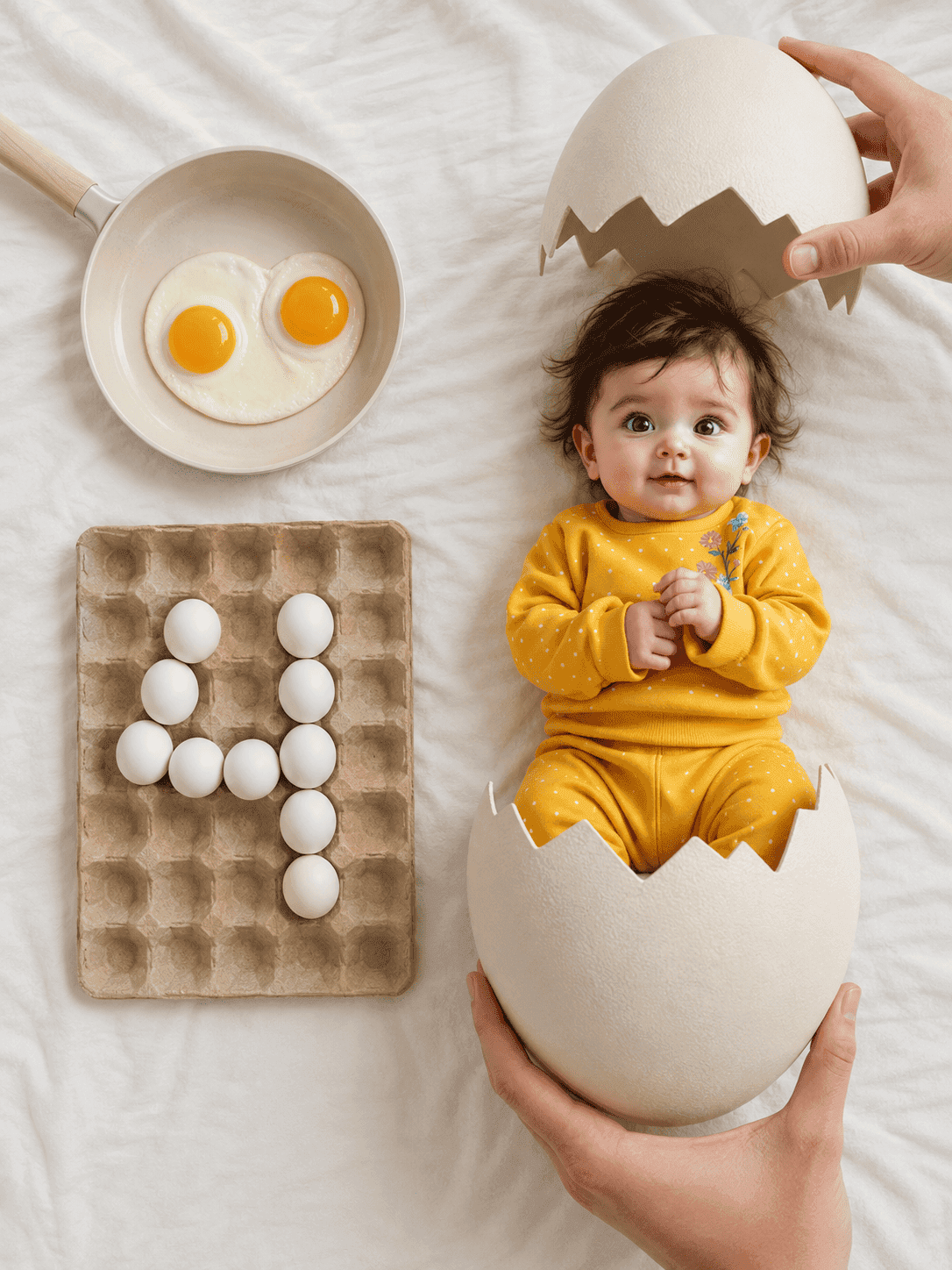
Hatching egg milestone flat lay
An overhead newborn flat lay where your baby has just hatched from a cracked egg, with the month number spelled out in eggs in a carton.
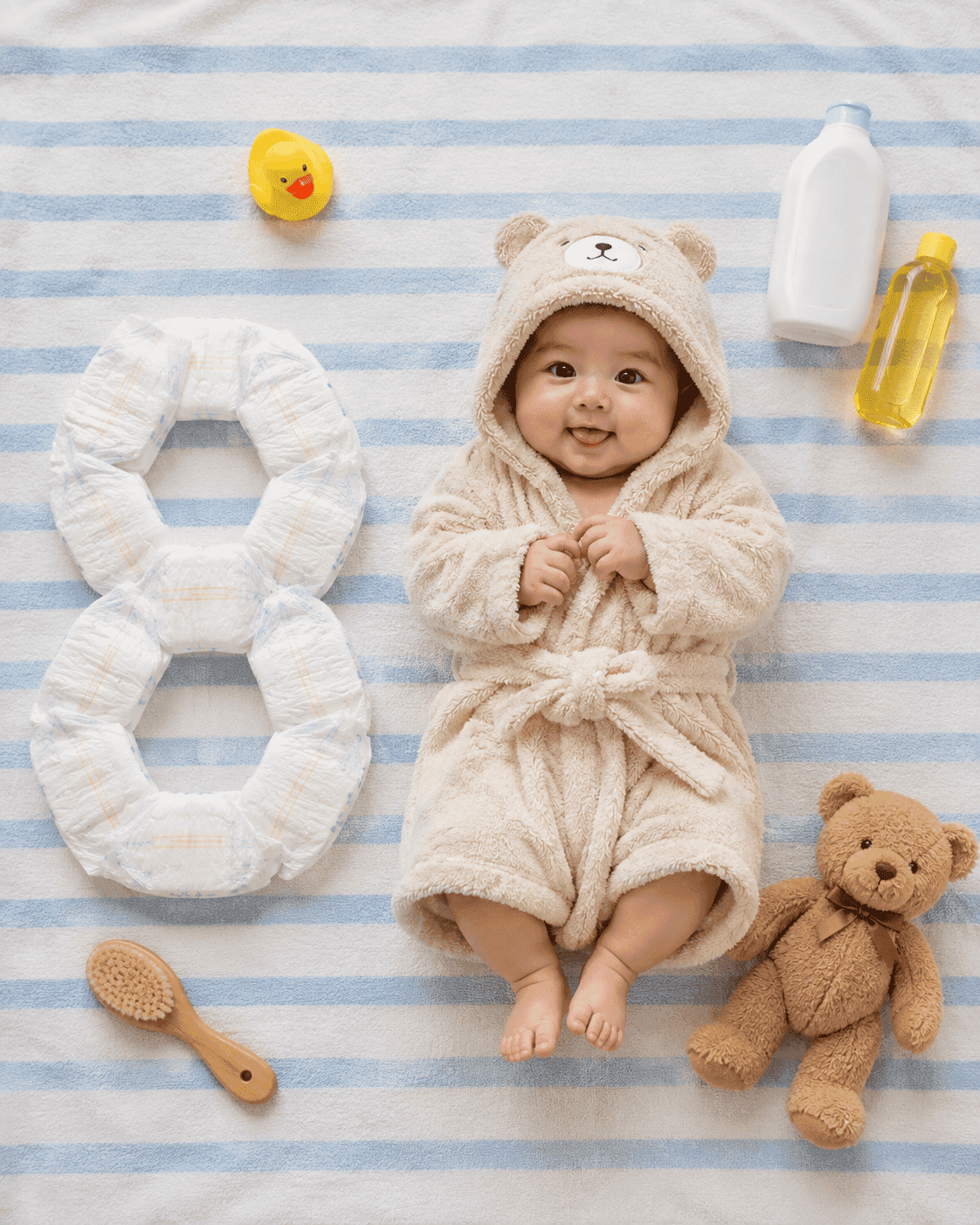
Bath essentials milestone flat lay
An overhead flat lay of your baby in a plush hooded bathrobe on a blue-and-white striped towel, with the month number built out of nappies beside them.