
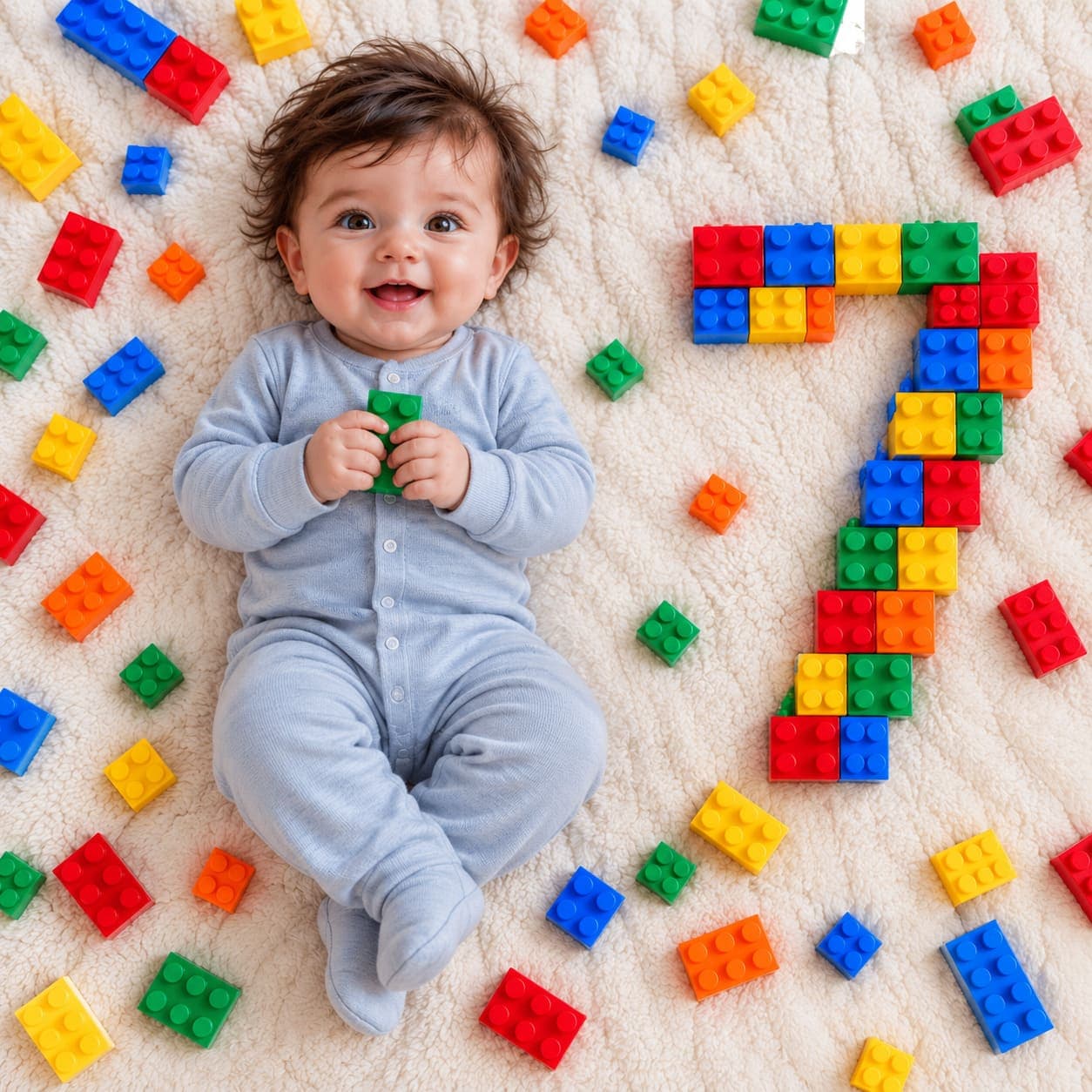
Building blocks milestone flat lay
An overhead flat lay of your baby in a soft grey sleepsuit holding a green brick, with the month number built from colourful plastic blocks beside them.
- Needs your baby’s photo
- flat lay
- overhead
- toys
- props
- number
- colourful
- playful
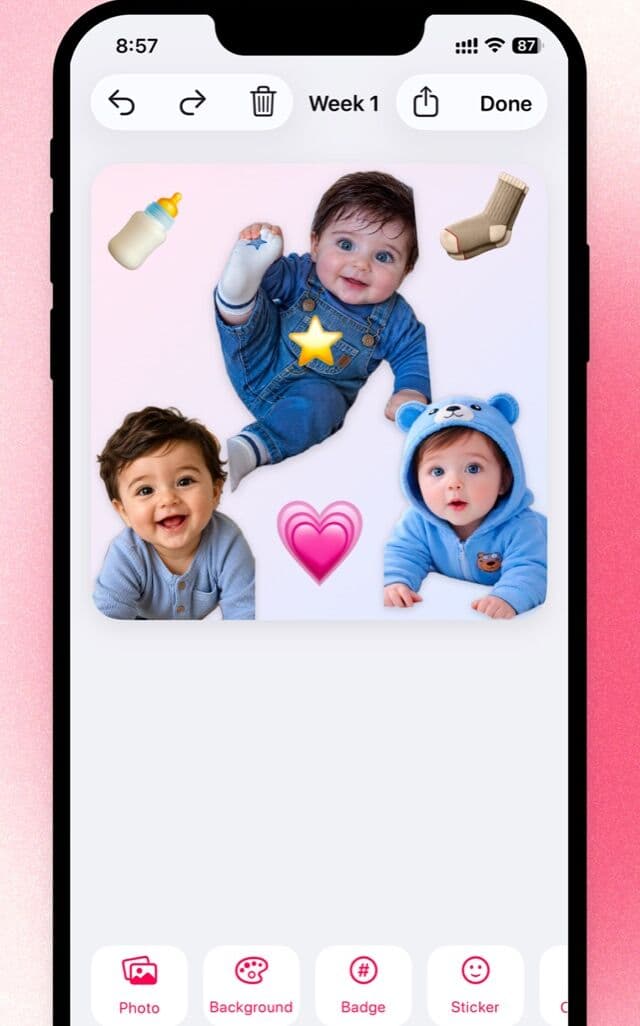
Lift your baby out, on the phone
Block numbers are the ones that come out ambiguous. Little adds an age badge you type yourself, so the month is never down to how the bricks landed.

Free to download · iPhone and iPad · Photos never leave your device
The prompt
Create a HIGHLY PHOTOREALISTIC REAL-LIFE BABY PHOTOGRAPH based on the provided reference composition.

MILESTONE NUMBER: [NUMBER]

The uploaded baby photograph is the ONLY identity reference for the baby.

The reference image is a REAL-LIFE PHOTOGRAPH, not an illustration or 3D render. Recreate it as if a real parent physically arranged the scene, placed the baby on a real blanket, scattered real children's plastic building blocks around the baby, and photographed everything with a real camera from directly above.

The final result must look like an authentic photograph taken with a modern camera or smartphone.

==================================================
MOST IMPORTANT REQUIREMENT
==================================================

PHOTOREALISM HAS THE HIGHEST PRIORITY.

The final image must look like an ordinary real photograph that could have been taken at home.

Do NOT make it look like:

- AI art
- CGI
- 3D rendering
- a digital illustration
- a children's book illustration
- a commercial toy advertisement
- a plastic doll scene
- a perfectly staged studio photograph

The baby must look completely real.

The blanket must look completely real.

The plastic blocks must look completely real.

The shadows must look completely real.

The entire scene must obey real-world physics.

Think:

"A parent placed their baby and some colorful building blocks on a real blanket and took this photograph from directly above."

NOT:

"Create a 3D render of a baby surrounded by LEGO blocks."

==================================================
BABY — IDENTITY REFERENCE
==================================================

Use the uploaded baby photograph to reproduce the EXACT SAME BABY.

Preserve the baby's:

- face
- eyes
- nose
- mouth
- cheeks
- ears
- skin tone
- hair
- hairline
- facial proportions
- natural expression
- natural baby characteristics

The baby must clearly look like the baby in the uploaded photograph.

Do not create a generic baby.

Do not redesign the baby's face.

Do not beautify the baby.

Do not enlarge the eyes.

Do not change the baby's facial proportions.

Do not make the baby's skin perfectly smooth.

Preserve natural skin texture, tiny imperfections, fine hair and realistic facial detail.

==================================================
COMPOSITION
==================================================

Recreate the reference composition closely.

Use a square 1:1 photograph.

Camera directly above the scene at approximately 90 degrees.

The entire scene is arranged on one large soft cream/off-white textured blanket.

The baby is slightly LEFT OF CENTER.

The baby's head is toward the upper-middle portion.

The baby's feet extend toward the lower-middle portion.

A large milestone number made from individual colorful plastic building blocks is on the RIGHT side.

Additional colorful building blocks are scattered naturally around the baby.

Maintain generous empty blanket space between objects.

Do not redesign the composition.

==================================================
BABY POSE
==================================================

The baby is lying naturally on their back.

The baby is physically resting on the blanket.

The baby should have a natural infant pose.

The arms and hands should be relaxed.

The legs should be naturally bent and positioned like a real baby lying on a blanket.

The baby may naturally hold or touch a small green building block near the chest, similar to the reference.

The baby must not appear to be floating.

The baby's body must naturally compress the soft blanket underneath.

==================================================
BABY CLOTHING
==================================================

Dress the baby in a simple light gray / pale blue-gray baby one-piece outfit.

It must look like ordinary real cotton baby clothing.

Include realistic:

- fabric fibers
- stitching
- seams
- wrinkles
- folds
- natural compression
- subtle shadows

No logos.

No printed text.

No decorative patterns.

==================================================
REAL PLASTIC BUILDING BLOCKS
==================================================

Use ordinary REAL children's plastic construction blocks.

They should look like physical toys that exist in the real world.

Use colorful blocks in:

- red
- blue
- yellow
- green
- orange

Each block should have realistic molded plastic geometry.

Visible studs should be present where appropriate.

The blocks should have:

- subtle plastic reflections
- tiny surface imperfections
- slight scratches
- realistic edges
- realistic thickness
- natural color variation

IMPORTANT:

These are PHYSICAL TOYS lying on the blanket.

Do not make them look like a 3D-generated LEGO model.

Do not make them look glossy or perfectly clean.

Do not make every block identical.

Do not make every block perfectly aligned.

Do not create impossible block geometry.

==================================================
MILESTONE NUMBER — CRITICAL
==================================================

On the RIGHT side of the baby, physically arrange individual colorful plastic building blocks to form the exact number:

[NUMBER]

The number must be created ONLY by arranging separate physical blocks.

For example:

If [NUMBER] = 3:
the individual blocks physically form a recognizable number 3.

If [NUMBER] = 4:
the individual blocks physically form a recognizable number 4.

If [NUMBER] = 5:
the individual blocks physically form a recognizable number 5.

If [NUMBER] = 6:
the individual blocks physically form a recognizable number 6.

If [NUMBER] = 7:
the individual blocks physically form a recognizable number 7.

If [NUMBER] = 8:
the individual blocks physically form a recognizable number 8.

The number should resemble something a parent manually assembled on the blanket.

It must NOT be a single molded plastic number.

It must NOT be a digital graphic.

It must NOT be printed.

It must NOT be floating.

It must NOT be outlined digitally.

It must NOT be made from glowing blocks.

It must NOT look like a 3D-rendered numeral.

The viewer should recognize [NUMBER] from the arrangement of the individual blocks.

==================================================
NUMBER SIZE
==================================================

The block-formed [NUMBER] should be large.

Its overall height should be approximately similar to the baby's height.

Place it on the RIGHT side with a comfortable gap between the baby and the number.

The number must be immediately recognizable.

Use enough individual blocks to construct the shape.

Do not use so few blocks that the number becomes ambiguous.

Allow slight imperfections in the arrangement.

Some blocks may be rotated by a few degrees.

Some blocks may be slightly misaligned.

This is desirable because it makes the arrangement look physically created by a person.

==================================================
SCATTERED BLOCKS
==================================================

Scatter additional individual building blocks around the baby.

Place them naturally around:

- upper-left
- upper-center
- left edge
- lower-left
- lower-center
- around the baby's feet
- near the large number

Use different shapes and colors.

Some blocks can be grouped into tiny clusters.

Some can be completely separate.

Some can be rotated.

Some can be slightly tilted.

Do not arrange them symmetrically.

Do not create a perfect pattern.

Do not use excessive blocks.

The scene should resemble a real child's toys casually placed around a milestone setup.

==================================================
GREEN BLOCK IN BABY'S HAND
==================================================

Place a small green plastic building block near the baby's hands.

The baby naturally holds or touches it.

The baby's fingers must physically wrap around the block.

The block must have realistic contact with the baby's fingers.

Do not make it float.

Do not merge it with the hands.

==================================================
BLANKET
==================================================

Use one real soft cream/off-white blanket covering the entire frame.

The blanket should have visible real fabric texture.

It should look like:

- a soft fleece blanket
- cotton blanket
- textured baby blanket

Include natural:

- fibers
- wrinkles
- folds
- small uneven areas
- compression
- shadows

The baby should slightly compress the blanket underneath their body.

The plastic blocks should sit naturally on top of the blanket.

The blanket must NOT look like a digitally generated texture.

==================================================
LIGHTING
==================================================

Use soft natural daylight from a real indoor environment.

The lighting should be slightly imperfect and natural.

Do not use dramatic studio lighting.

Do not use cinematic lighting.

Do not use HDR.

Do not use artificial glow.

Do not use colored lighting.

Do not use excessive contrast.

The baby's skin, blanket and plastic blocks must all be illuminated by the SAME real light source.

The blocks must cast small natural contact shadows.

The baby must cast a soft realistic shadow onto the blanket.

==================================================
CAMERA REALISM
==================================================

Make this look like a real photograph taken with a modern smartphone camera.

Use realistic:

- exposure
- white balance
- focus
- depth
- lens characteristics
- subtle sensor noise
- natural sharpening
- realistic color reproduction

Do not make the photograph unnaturally perfect.

Allow very subtle:

- exposure variation
- softness
- sensor noise
- imperfect focus
- natural color variation

The image should look like a photograph rather than a generated scene.

==================================================
BABY SKIN REALISM
==================================================

The baby's skin must be completely photographic.

Preserve:

- fine pores
- subtle redness
- natural skin variation
- tiny imperfections
- baby hair
- natural shadows
- realistic highlights

Do not make the skin:

- waxy
- porcelain-like
- plastic
- glossy
- airbrushed
- excessively smooth

Do not apply beauty-filter effects.

==================================================
REALISTIC PHYSICAL INTERACTION
==================================================

Everything must physically interact with the same blanket.

The baby's body compresses the blanket.

The blocks rest on the blanket.

The blocks cast small contact shadows.

Some blocks may slightly sink into the soft blanket.

The baby's hands physically touch the block.

The large number is physically assembled from separate blocks.

Nothing should look pasted into the image.

Everything must share the same:

- lighting
- perspective
- color temperature
- shadows
- camera characteristics

==================================================
NO TEXT
==================================================

Do NOT add any text.

Do NOT write "[NUMBER] months".

Do NOT add captions.

Do NOT add labels.

Do NOT add logos.

The milestone is represented ONLY by the physical block arrangement.

==================================================
NO UI ELEMENTS
==================================================

If the reference is a screenshot, reproduce ONLY the actual photograph.

Do NOT reproduce:

- back arrow
- back button
- three-dot menu
- options button
- share button
- edit button
- toolbar
- navigation controls
- app interface
- screenshot borders
- watermark
- username
- social-media elements
- UI icons

The output must be a clean standalone photograph.

==================================================
ABSOLUTELY DO NOT
==================================================

Do NOT create:

- CGI
- 3D render
- illustration
- cartoon
- anime
- toy-like baby
- plastic baby
- artificial skin
- exaggerated eyes
- distorted hands
- extra fingers
- duplicated limbs
- floating objects
- impossible physics
- glossy studio look
- cinematic color grading
- excessive HDR
- excessive sharpening
- artificial bokeh
- digital LEGO number
- molded plastic number
- printed number
- balloon number
- wooden number
- number graphic
- text
- watermark
- UI
- screenshot controls

==================================================
FINAL CHECK
==================================================

Before generating the image, verify:

1. The baby looks like the uploaded baby.
2. The baby looks like a REAL photographed baby.
3. The blanket looks like a REAL physical blanket.
4. The blocks look like REAL physical children's plastic blocks.
5. The large [NUMBER] is made from INDIVIDUAL physical blocks.
6. [NUMBER] is exactly the number supplied by the user.
7. The number is clearly recognizable.
8. The blocks have realistic shadows and reflections.
9. The baby naturally compresses the blanket.
10. The entire scene is photographed from directly above.
11. There is no CGI or illustration appearance.
12. There is no text.
13. There are no UI elements.
14. There is no watermark.

FINAL INSTRUCTION:

Prioritize PHOTOGRAPHIC REALISM over perfect geometric arrangement.

This must look like a real photograph of a real baby lying on a real blanket with real colorful plastic building blocks physically arranged around the baby.

Do not make it look AI-generated.
Do not make it look like a 3D render.

The uploaded baby photograph controls the baby's identity.

[NUMBER] controls the milestone number.
Which AI to run it on
ChatGPT (GPT Image)Best
The one to use. It stacks the bricks into a digit with believable studs and a slightly wonky edge, and keeps the brick in the baby's hands actually held rather than fused to the fingers.
Gemini (Nano Banana)Limited
Renders the loose bricks well, then either builds a vague blocky shape that could be two different numbers or turns the whole scene into a glossy toy render.
Make it yours
- Replace every [NUMBER] with your baby's month. The list of examples near the middle already covers 3 to 8; leave it alone either way.
- The prompt opens by mentioning a 'reference composition'. You only upload the baby photo, so if a model asks for the reference, ignore it; the written scene is complete without one.
- Curved digits are harder to build from rectangles. For 2, 3, 5, 6, 8 or 9, expect a squarer, pixel-style numeral, and regenerate if the curve reads as a different number.
- Bigger toddler-size bricks (the chunky Duplo kind) suit a baby better and are easier for the model to keep in the hands. Swap 'plastic building blocks' for 'large chunky toddler building blocks' if you like.
More prompts
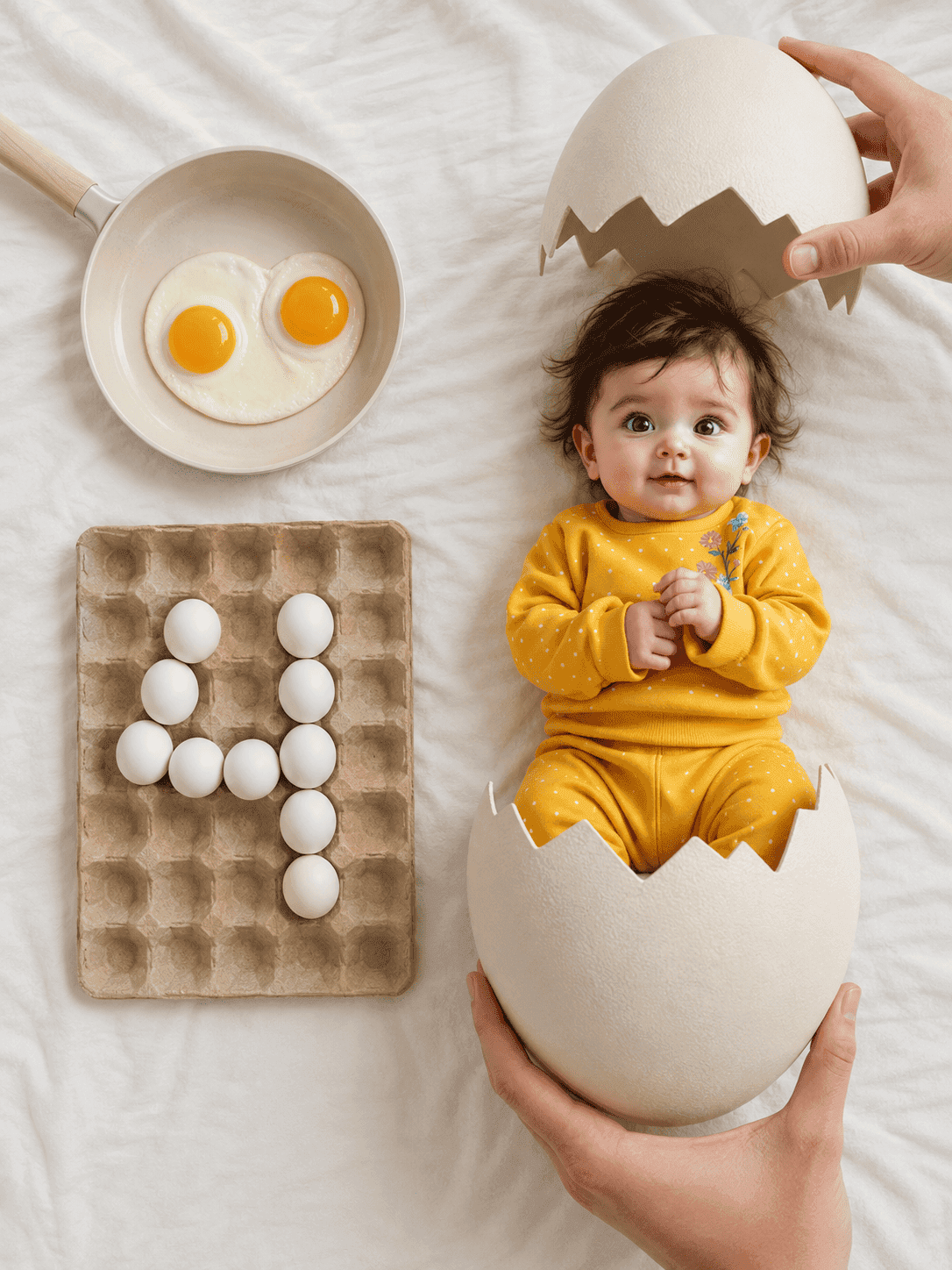
Hatching egg milestone flat lay
An overhead newborn flat lay where your baby has just hatched from a cracked egg, with the month number spelled out in eggs in a carton.
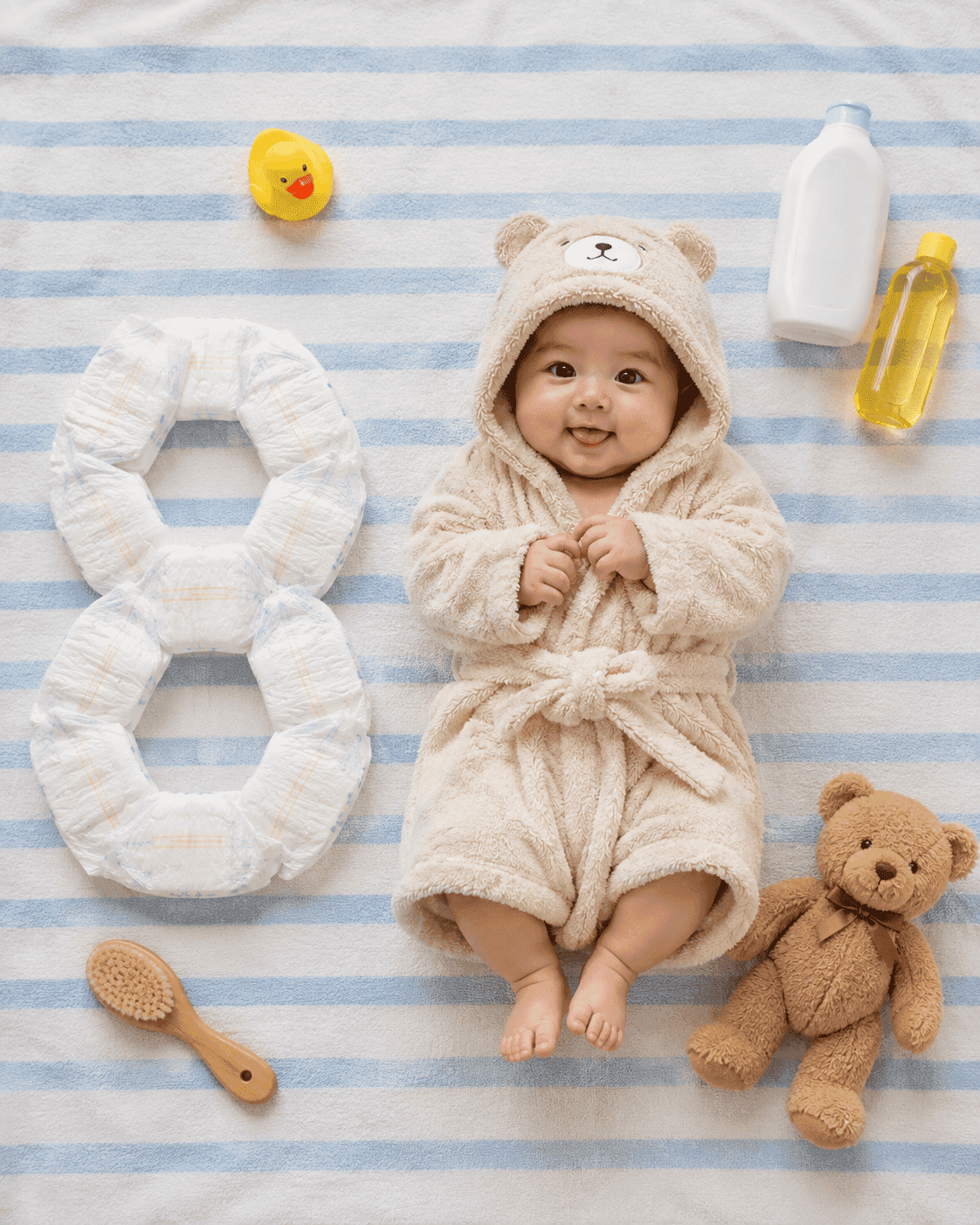
Bath essentials milestone flat lay
An overhead flat lay of your baby in a plush hooded bathrobe on a blue-and-white striped towel, with the month number built out of nappies beside them.